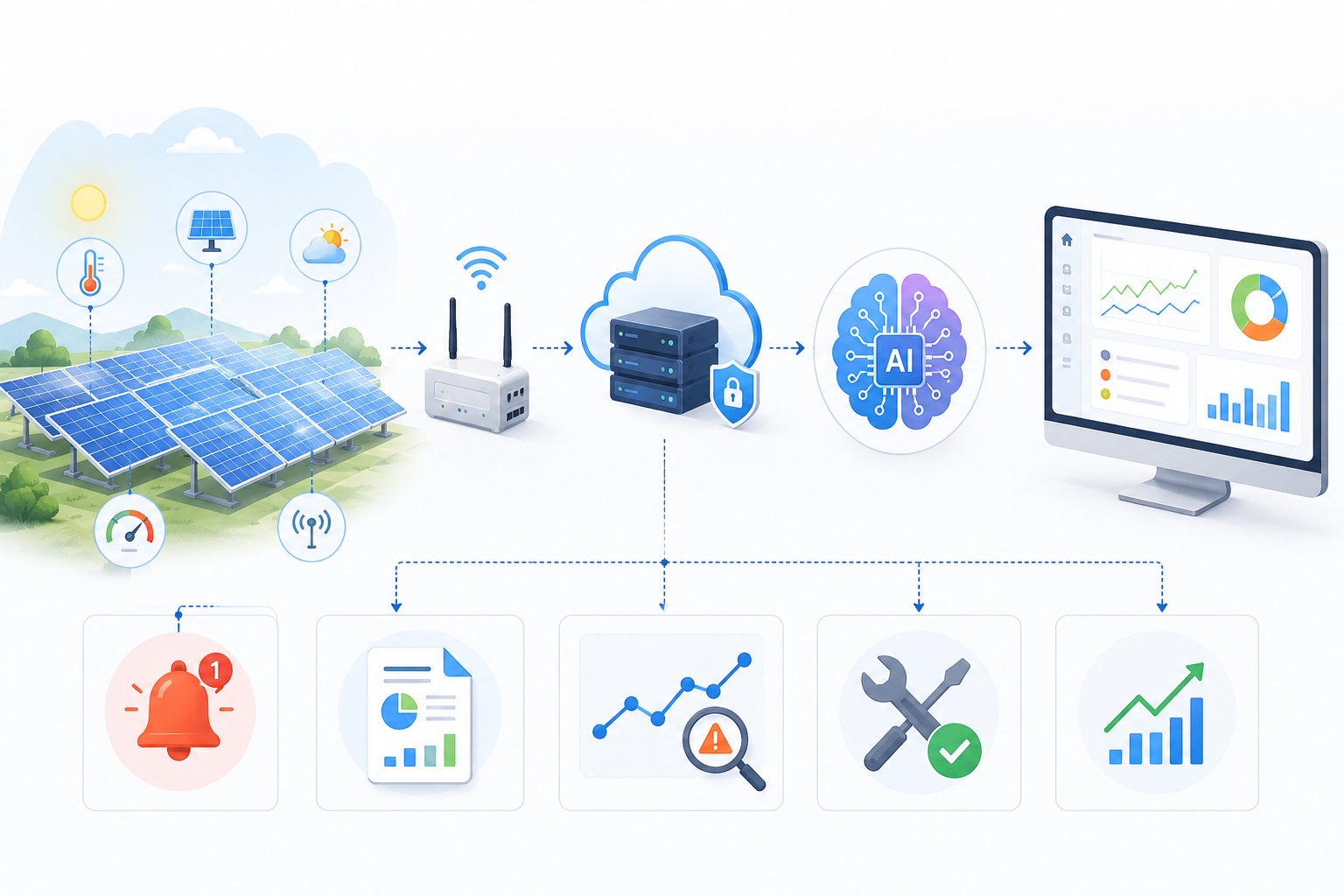


A solar site can have plenty of monitoring data and still leave its operations team without a clear picture of what is happening. PV inverters report generation, a battery management system reports battery conditions, and site meters show electricity moving to or from the grid. When those readings sit in separate applications, an operator has to piece the energy flow together manually.
Solar and battery storage monitoring brings those sources into one view. A properly designed PV and BESS monitoring dashboard shows where power is coming from, where it is going, and whether the underlying readings can be trusted. Building one requires more than combining charts. This guide explains the connections, calculations, screens, and checks involved.
Map the Energy Flow Before Designing the Dashboard
Identify the measurements at each point
Start with a simple diagram of the site's electrical layout. Identify where photovoltaic (PV) production is measured, where the battery connects, which loads the site serves, and where electricity enters or leaves the grid. Then label the meters and equipment that report those quantities.
Some solar monitoring software shows inverter output but not consumption behind the meter. Likewise, battery energy storage monitoring may show battery power without telling an operator whether that energy came from the PV array or the grid. A combined dashboard must make those boundaries visible rather than imply that every reported number describes the same point in the system.
Account for AC- and DC-coupled configurations
In AC-coupled and DC-coupled solar storage arrangements, energy takes different paths. An AC-coupled battery typically uses a power conversion system (PCS) connected on the AC side. A DC-coupled design may share conversion equipment with the PV system. The available sensors and the meaning of inverter measurements can therefore differ. Map the actual installation before deciding which readings to aggregate.
Connect Solar Inverters, Battery Systems and Energy Meters
Collect data from each equipment layer
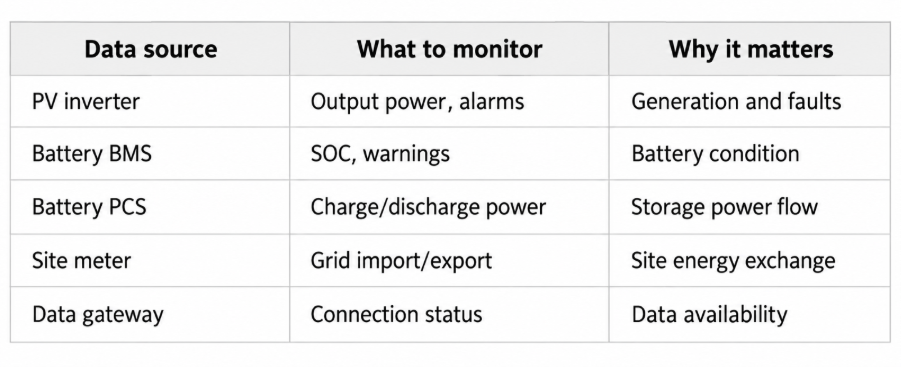
A solar inverter may expose AC output, operating condition, temperature, and fault codes. The battery management system (BMS) typically supplies battery-specific information such as state of charge (SOC), temperatures, and protective warnings. The PCS reports charging and discharging power. Site meters record load or grid exchange at defined electrical points.
Those sources should form the foundation of an IoT solar monitoring system. For teams creating renewable energy monitoring systems, the first design task is a device inventory: manufacturer, model, firmware, readable values, available interfaces, and data ownership. This prevents a dashboard design from depending on telemetry the equipment does not provide.
Select the available integration path
Solar inverter data integration may use a local industrial gateway, an existing SCADA connection, a manufacturer cloud API, or a supported Modbus interface. Battery and meter access may require different connectors. The SunSpec Alliance's SunSpec Modbus specification describes standardized information models for compatible inverters, batteries, meters, and other distributed energy devices. Support still needs to be checked for each installed product.
An on-site gateway can read permitted registers and forward values to a monitoring backend. Where a plant already has SCADA, using its approved interfaces may be more practical than making another system poll every device. Decide how authentication, network segmentation, polling limits, and communication outages will be handled before the dashboard goes live.
Standardize the Data Before Displaying It
Align units, timestamps and power directions
A data pipeline should transform device-specific fields into one documented format. Power in kilowatts (kW) is a rate at a particular moment. Energy in kilowatt-hours (kWh) is accumulated over time. They must not be placed on the same chart as if they were interchangeable.
Other differences are less obvious. One inverter may report export as positive, while a meter uses a different sign convention. Device clocks may disagree, and a battery reading may update less often than a grid meter. Save source timestamps, update frequency, unit, and quality status with each measurement. The dashboard should mark stale values instead of displaying an old number as a live reading.
A consistent pipeline for AI and IoT analytics can validate values, flag impossible jumps, and retain historical records for later investigation. Advanced prediction is optional; accurate measurement handling comes first.
Avoid double-counting stored solar energy
Suppose solar electricity charges the battery in the afternoon and the battery supplies the building in the evening. That energy should not be treated as new generation when it leaves storage. The dashboard needs separate definitions for PV generation, energy into storage, energy out of storage, site use, and grid exchange.
Use measurements from the correct electrical boundaries, with clear treatment of conversion losses and periods when grid charging is allowed. Display energy balance results alongside their time range. A discrepancy should prompt a meter, configuration, or data-quality check, not an invented balancing value.
Build a Dashboard That Shows Energy Performance Clearly
Display the live operational picture
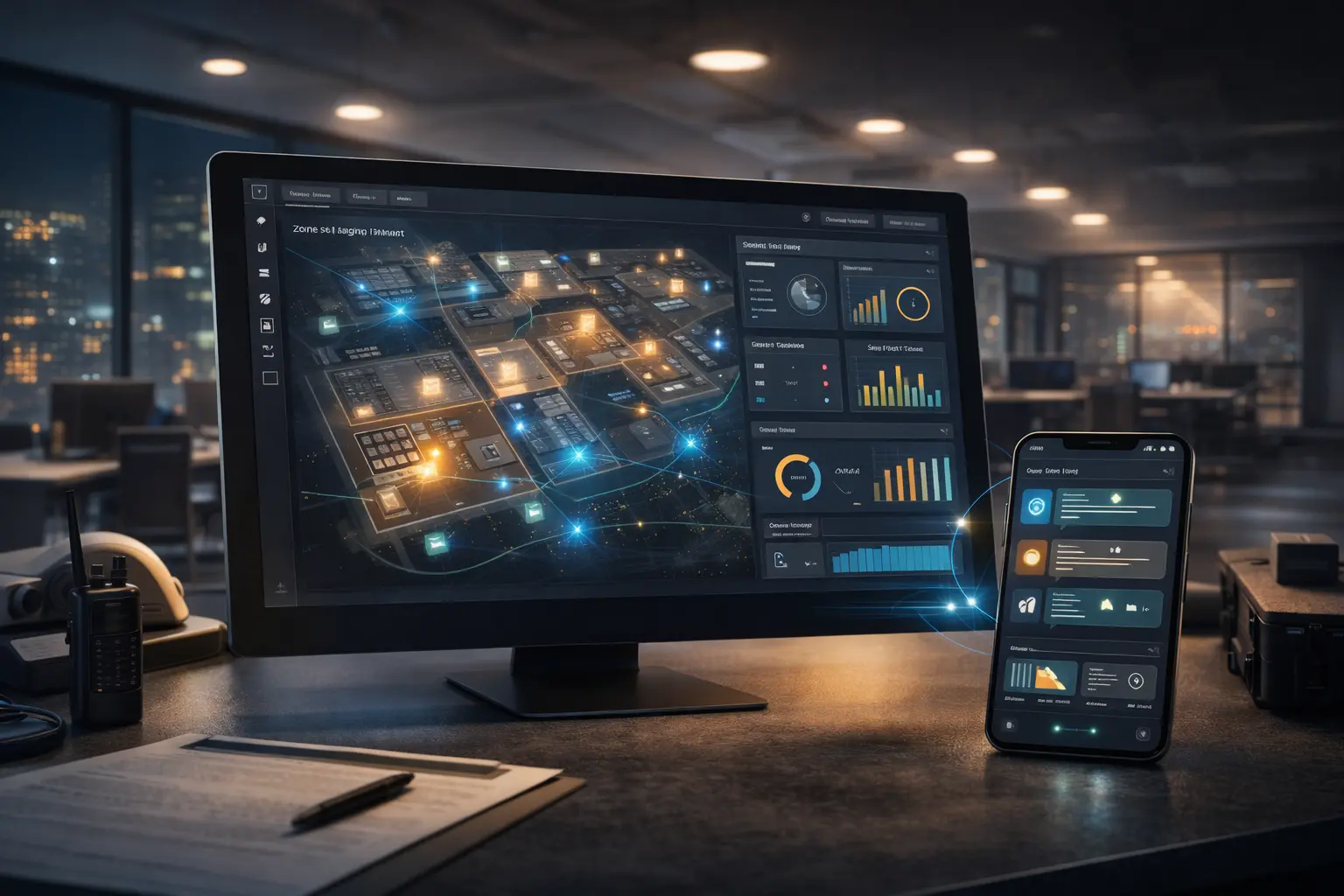
For real-time solar energy monitoring, the first screen should answer five questions: How much are the panels producing? Is the battery charging or discharging? How full is it? How much electricity is the site using? Is the site importing or exporting power?
Battery state of charge monitoring helps an operator interpret storage availability, but SOC is an estimate reported by the battery system, not a direct guarantee of usable energy under every operating condition. Pair it with warnings, operating limits where available, and timestamps. A solar energy management dashboard can display these readings without implying it independently controls dispatch.
Show energy flow and historical trends
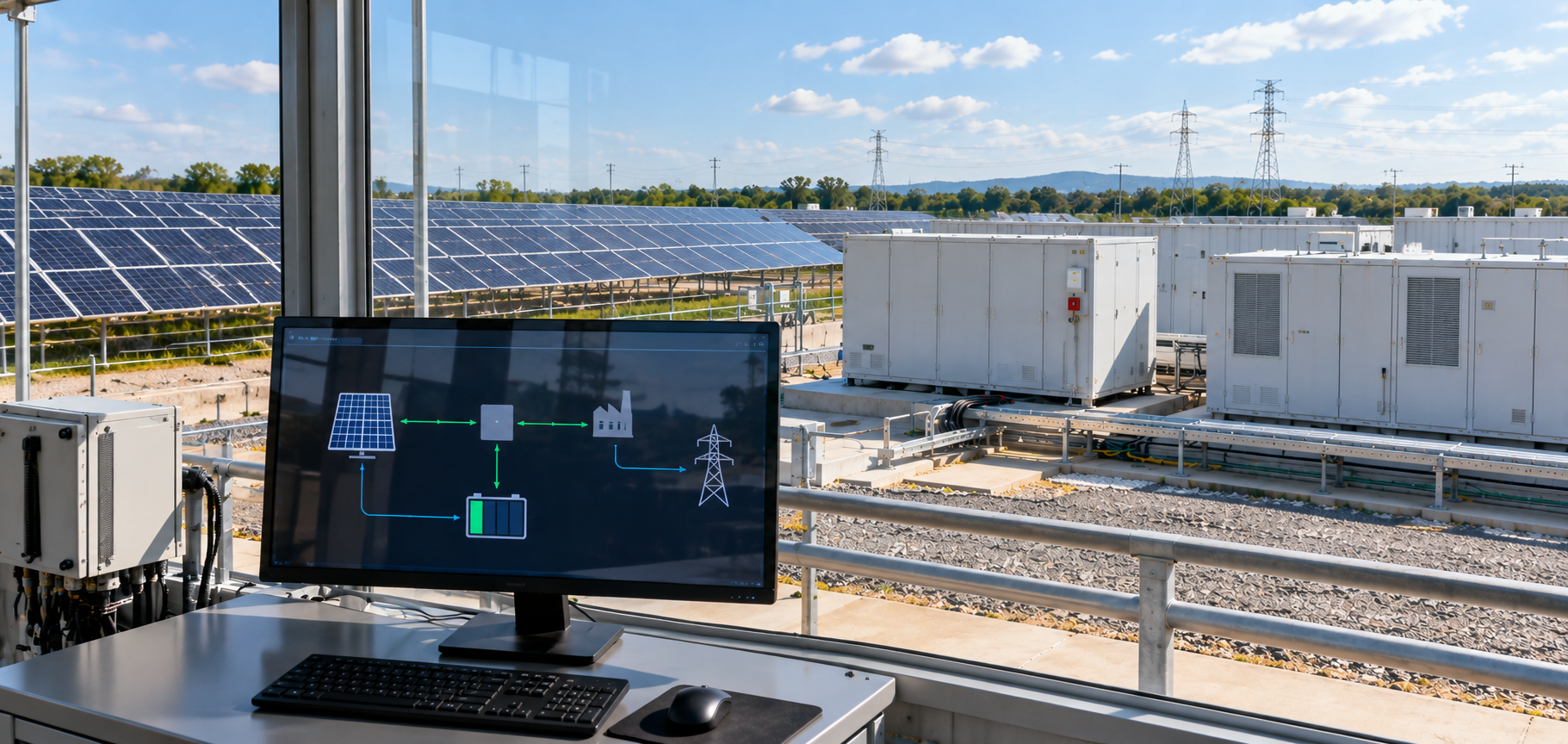
A one-line diagram or simple flow view can show PV, battery, load, and grid relationships. Directional arrows should follow validated power conventions; ambiguous measurements are better labeled than guessed.
The solar battery performance dashboard should also let operators compare hourly and daily generation, battery cycling, import/export history, and changes in charging behavior. Historical charts need consistent intervals and a clear indication when data is missing. Comparing incomplete days as though they contain the same amount of monitoring data can create misleading conclusions.
A useful interface allows an operator to move from a site summary to a particular inverter, battery rack, or meter. That drill-down matters when a plant-wide change has several possible causes.
Configure Alerts for Problems Operators Can Investigate
Separate equipment warnings from data interruptions
Solar energy storage alerts are useful only if an operator understands what triggered them. An inverter fault code, a high-temperature warning from the BMS, and a communication timeout should be treated as different events. A flat-line chart may mean that production stopped, but it could also mean the device stopped reporting.
Set alert rules using the equipment's documented thresholds and the operator's procedures. Avoid creating a new critical alarm from an arbitrary dashboard threshold. Some events warrant immediate review; others belong in a trend report or maintenance queue.
For deeper inverter-specific examples, the existing guide on solar inverter monitoring discusses how telemetry and alarm history can support maintenance decisions.
Give each alert enough context
An alert record should identify the affected asset, event time, source signal, latest trustworthy reading, and whether the condition is still active. If a gateway loses contact with several devices simultaneously, group or correlate those messages so the operator can investigate a shared communication problem.
Acknowledge and resolution fields can help teams document what was checked. Keep the original event history rather than overwriting an earlier warning when a new reading arrives. This preserves useful context for technicians examining recurring conditions.
Validate the Dashboard Against Actual Site Readings
Before relying on a combined view, compare its figures with approved readings from the source equipment and revenue or operational meters, as appropriate. Check identical time windows, units, sign conventions, daylight-saving changes, and battery charge/discharge calculations. Test what happens when a device reports late or goes offline.
For example, if the dashboard shows grid export while the site meter reports import, investigate whether a sign convention was reversed, a meter was mapped incorrectly, or readings came from different timestamps. Do not hide the difference with a calculated adjustment.
Testing should include both normal operating conditions and communication failures. Operators also need to understand the difference between read-only monitoring and commands that alter equipment settings. Remote control functions require separate authorization, protective design, and commissioning through the site's established processes.
Frequently Asked Questions
1. Can solar panels and battery storage be monitored on the same dashboard?
Yes. A unified monitoring dashboard can combine data from solar inverters, battery management systems, power conversion systems, and electricity meters. This allows operators to view solar generation, battery charging and discharging, grid exchange, and equipment alerts together. Integration depends on the communication interfaces and data access supported by the installed equipment.
2. What should a solar and battery storage monitoring dashboard display?
A solar and battery storage monitoring dashboard should display PV output, battery state of charge, charging and discharging power, site electricity consumption, and grid import or export. It should also provide historical energy trends, equipment warnings, and communication status. These measurements help operators understand system performance and investigate unusual operating conditions.
3. Can one dashboard connect solar inverters and batteries from different manufacturers?
Yes, provided the equipment offers compatible communication interfaces or accessible APIs. Developers can use supported protocols such as Modbus, existing SCADA connections, industrial gateways, or manufacturer APIs to collect data. The readings must then be standardized because different manufacturers may use different measurement names, units, and reporting intervals.
4. Why might solar generation, battery discharge, and grid readings not match?
These readings may represent different points in the electrical system or different measurement periods. Conversion losses, battery charging, site consumption, inconsistent timestamps, and meter configurations can also affect comparisons. A reliable dashboard should use clearly defined measurement boundaries and avoid counting stored solar electricity as newly generated energy when the battery discharges.
5. Can a solar battery monitoring dashboard control battery charging and discharging?
A monitoring dashboard primarily displays equipment data and operating conditions. Controlling battery charging or discharging requires authorized interfaces, an appropriate energy management or control system, and safeguards that respect equipment limitations. A unified monitoring dashboard should not be assumed to provide remote control unless those functions have been separately designed, tested, and approved.
Building Unified Solar and Battery Monitoring with Theta Technolabs
A reliable combined dashboard starts with the plant's electrical layout and available equipment interfaces. From there, developers can connect approved telemetry sources, normalize measurements, design energy-flow views, configure meaningful alerts, and validate the displayed figures with site teams.
Theta Technolabs works on connected energy software using IoT gateways, cloud data processing, and web-based monitoring interfaces. The objective is a clear operational view that respects existing equipment protections and gives teams the context needed to investigate performance changes.
For discussions about a custom implementation, contact us at sales@thetatechnolabs.com.





.png)



.png)



.png)





















.png)
.png)






.png)
.png)
.png)
.png)


.png)
.png)
.png)
.png)

.png)









.png)