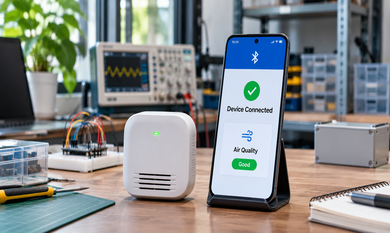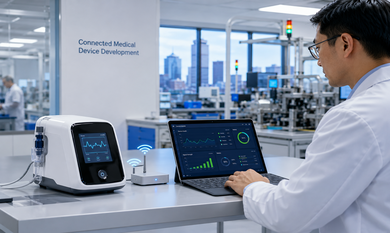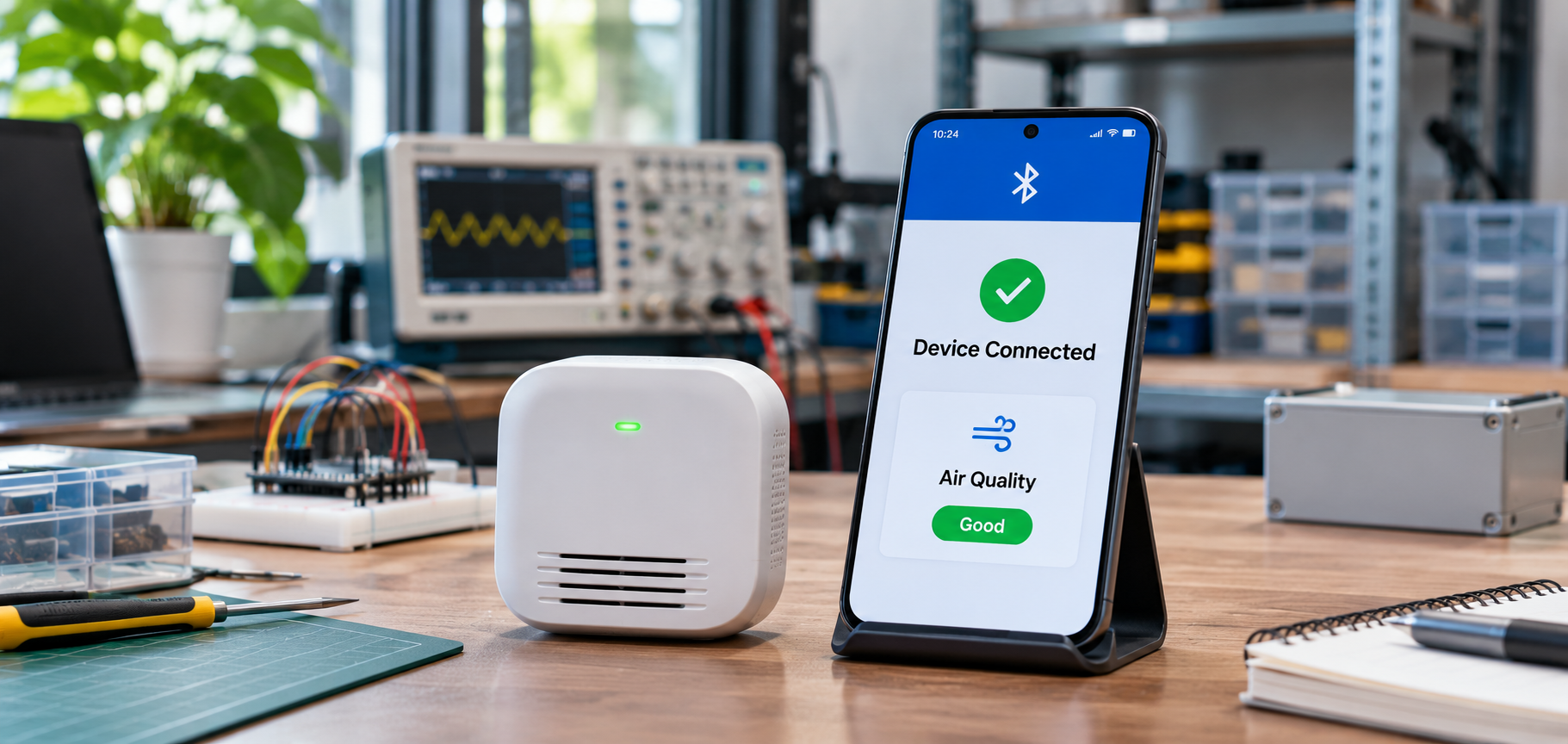


A San Francisco startup has built a compact air-quality sensor. During development, the sensor connects to the team's phones without much trouble. Then the first customers open the box. One cannot find the device in the app. Another connects but never sees a reading. A third restarts the phone and gets stuck at the same screen.
The hardware may work exactly as designed, yet the customer's first experience feels broken.
What makes first-time BLE device pairing reliable?
Reliable BLE setup requires the device to advertise its presence, the mobile app to discover and connect to it, any required security checks to succeed, and the first valid reading to appear. Hardware startups should test this process across supported Android and iOS devices, including interrupted connections and denied permissions.
Why First-Time BLE Pairing Matters
A device that works on a developer's desk is not necessarily ready for a customer's living room. Engineers know when to reset a sensor, which permissions to enable, and what a flashing light means. New customers do not.
If setup fails, they may assume the product is defective, even when the problem comes from the app or an unclear instruction. That leads to avoidable support requests and can weaken confidence in a new brand.
For San Francisco teams bringing connected products to market, IoT and BLE development services in San Francisco can help connect hardware design decisions with the mobile experience customers actually see. The goal is not simply to establish a Bluetooth connection. It is to help a person get the product working without specialist knowledge.
How Does BLE Device Pairing Work with a Mobile App?
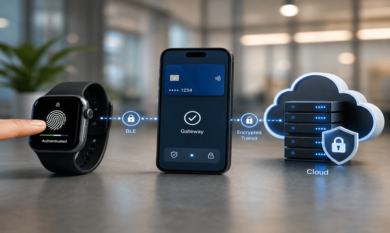
People often use pairing to describe the entire setup process, but several different steps are involved. A BLE device can be discovered and connected without necessarily being paired or bonded at the operating-system level. Pairing establishes security keys when needed; bonding stores those keys for future connections.
For an air-quality sensor, the customer journey usually looks like this.
1. Make the device discoverable
When the sensor enters setup mode, it sends short BLE advertising messages. A nearby phone scans for advertisements and identifies devices that match the application's expected service information.
Firmware decisions matter here. If the sensor advertises too infrequently, discovery may feel slow. If it stays in setup mode indefinitely, the team may waste battery power or expose unnecessary information. A clear setup window, visible indicator, and reset method make the behavior easier to understand.
2. Help the app find the correct device
Imagine three identical sensors sitting on a workbench. A list showing only “Sensor” three times is not useful.
The app can filter for the product's BLE service and display a recognizable identifier, such as a short code printed on the packaging. That identifier should not expose private account or device information. If the expected sensor is missing, the screen should tell the customer what to check rather than leave a spinning search icon.
3. Connect and complete required security checks
After selection, the phone establishes a BLE connection and discovers the services and characteristics the sensor offers. Some products then require pairing, bonding, or a separate app-level ownership check, depending on what information and controls they expose.
A basic environmental sensor and a smart door lock should not automatically use the same security requirements. Startups need to decide what must be protected and design the setup accordingly. A connection message alone should not be treated as proof that the device has been securely claimed by the right customer.
4. Confirm the first useful reading
The setup is not complete merely because Bluetooth reports a connection. The app should read a device value or receive its first valid notification, then show the result in a way the customer recognizes.
For the air-quality sensor, a visible temperature or air-quality reading is a stronger success signal than “Connected” without data. If this final step fails, the app needs to say whether it is still waiting, retrying, or requires help.
Common BLE Pairing Problems Hardware Startups Face
The device does not appear. It may be outside its advertising window, out of battery, already connected to another phone, or advertising information that the app does not recognize. A permission problem can look almost identical to a radio problem.
The wrong device is selected. Generic names are confusing when several units are nearby. A product-specific identifier or clear selection method helps customers choose their own device.
The connection drops during setup. Weak signal conditions, device restarts, firmware faults, or poorly managed connection timing can interrupt the process. A single retry can help, but repeated invisible attempts can leave customers wondering what is happening.
A previous connection causes trouble. A returned device, replacement phone, or incomplete reset may leave old bonding or ownership information behind. The app and firmware need an intentional way to handle those cases instead of asking users to try random Bluetooth settings.
The app connects but receives no data. Service discovery might succeed while a required characteristic read, notification subscription, or sensor initialization fails. This should be recorded as a separate issue, not counted as successful setup.
These problems are why BLE app development services need close coordination between mobile and embedded teams. Changing the firmware without testing the companion app can fix one situation and create another.
How to Make First-Time Setup Easier
Good setup design starts before the phone searches for anything. The packaging and app should tell customers when to turn on the device, how to recognize setup mode, and what to do if they have previously connected it.
Keep the screens focused on one decision at a time. Show a clear “Searching for nearby devices” state, a recognizable device choice, and a confirmation when real data arrives. If the phone needs permission to scan, explain why before showing the operating-system request.
Error messages should match the failure. “Device not found” needs different advice from “Connected, but no reading received.” Provide a simple retry path and an option to contact support when repeated attempts fail.
Security also belongs in the original design. For devices controlling physical access or handling sensitive information, use appropriate authentication and ownership checks. Convenience should not depend on skipping necessary protection.
Testing BLE Pairing Across Android and iOS
A startup should not approve the setup experience after testing it on one engineer's phone. Real-world testing needs several supported Android and iPhone devices, different operating-system versions, and ordinary customer conditions.
Android Bluetooth access depends on the app's target version and requested permissions. Google's Bluetooth permissions documentation explains requirements such as BLUETOOTH_SCAN and BLUETOOTH_CONNECT for apps targeting Android 12 or later. Permission handling should be tested as carefully as the radio connection itself.
Teams using cross-platform app development should still check platform-specific Bluetooth behavior rather than assuming a shared interface means identical setup results.
Test first installation, denied permissions, phone restarts, low device battery, several nearby sensors, interrupted setup, and a device that has already been assigned to another account. Include people who have never seen the engineering instructions. Their confusion is useful evidence.
What Startups Should Measure Before Launch
Measure the share of customers who complete setup, the time from opening the app to receiving the first valid reading, and where the process fails. Separate discovery failures from security failures and data-transfer failures.
Review how often customers must restart the device or ask for help. If many users reach “Connected” but see no reading, improving discovery speed will not solve their actual problem.
Small, clearly defined measurements give the team a better basis for deciding what to change before a wider release.
Frequently Asked Questions
Why is my BLE device not showing up in the mobile app?
The device may not be advertising, may be out of range, or may lack power. The app might also be missing a required Bluetooth permission. Confirm setup mode and permissions before assuming the hardware has failed.
Is BLE pairing different on Android and iOS?
Yes. Both support BLE, but their app permissions, system prompts, and connection behavior differ. Test the full setup experience on supported devices for each platform.
Does every BLE device need pairing before connecting?
No. BLE devices can establish a connection without pairing in some cases. Pairing and bonding are used when the product needs the security and stored keys they provide.
How should startups test BLE pairing before launch?
Use different phones and operating-system versions, several devices nearby, interrupted connections, denied permissions, and first-time users. Verify that setup ends with useful device data, not just a connected status.
Conclusion
First-time BLE setup is more than making a sensor appear in a phone's device list. A reliable experience helps customers identify their product, connect securely when required, and receive their first useful reading without confusion.
For San Francisco hardware startups, that takes coordinated firmware, mobile application, and real-world testing work. Theta Technolabs helps businesses develop connected-device applications with these practical requirements in mind.
For implementation discussions, contact us at sales@thetatechnolabs.com.